
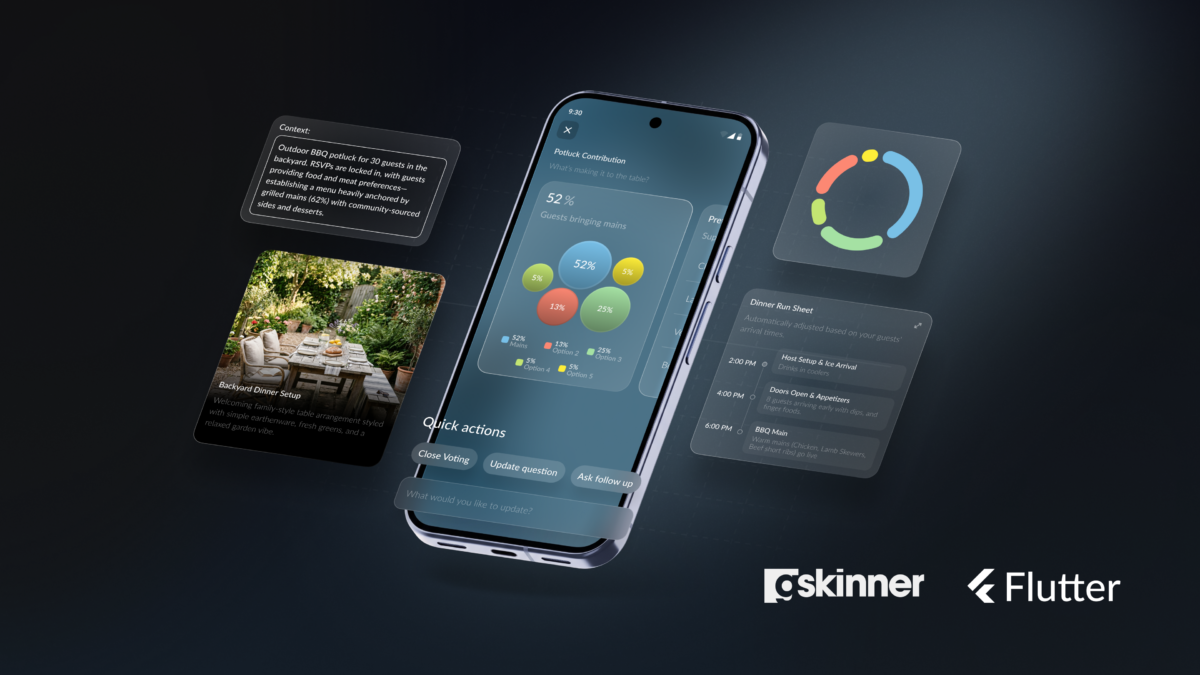
Earlier this year, the Flutter team released GenUI: an SDK that enables AI to compose UIs based on your design system at runtime.
To help Google present it at Google I/O and Google Cloud Next, gskinner was challenged to conceptualize, design, and build Hatcha: an open-source event-planning app for iOS, Android and the web, where a host plans an event through a conversational interview with AI, and GenUI generates dynamic, themed, and interactive invites. As guests respond, the planning experience dynamically composes itself around the specific context gathered for that particular event.
It’s not a form you fill out and forget — it’s a dynamic, evolving experience that GenUI actively constructs around the people involved.
Variable Events
We chose event planning because every event is unique.
Planning a casual potluck dinner and stadium-sized heavy metal concert might share almost nothing: different activities, agendas, considerations, and different tones altogether. All events have nuance.
Classic UI is pre-composed: every screen is designed in advance and every flow is mapped: the user travelling through paths you laid out. Attempting to cover a near-infinite amount of non-deterministic use cases is where generative UI can shine.
Our role as designers, when working with agenticly-composed UIs, changed from designing screens and flows, to designing structures, principles, and rules.
We started with defining the intent of the tools and rules we’re supplying to agents, so GenUI can build screens dynamically based on specific context, to help users achieve whatever their goal might be.
We had to describe ranges, relationships, and hierarchy. We had to design guardrails and priorities, instead of the final UI.
Feedback Loops
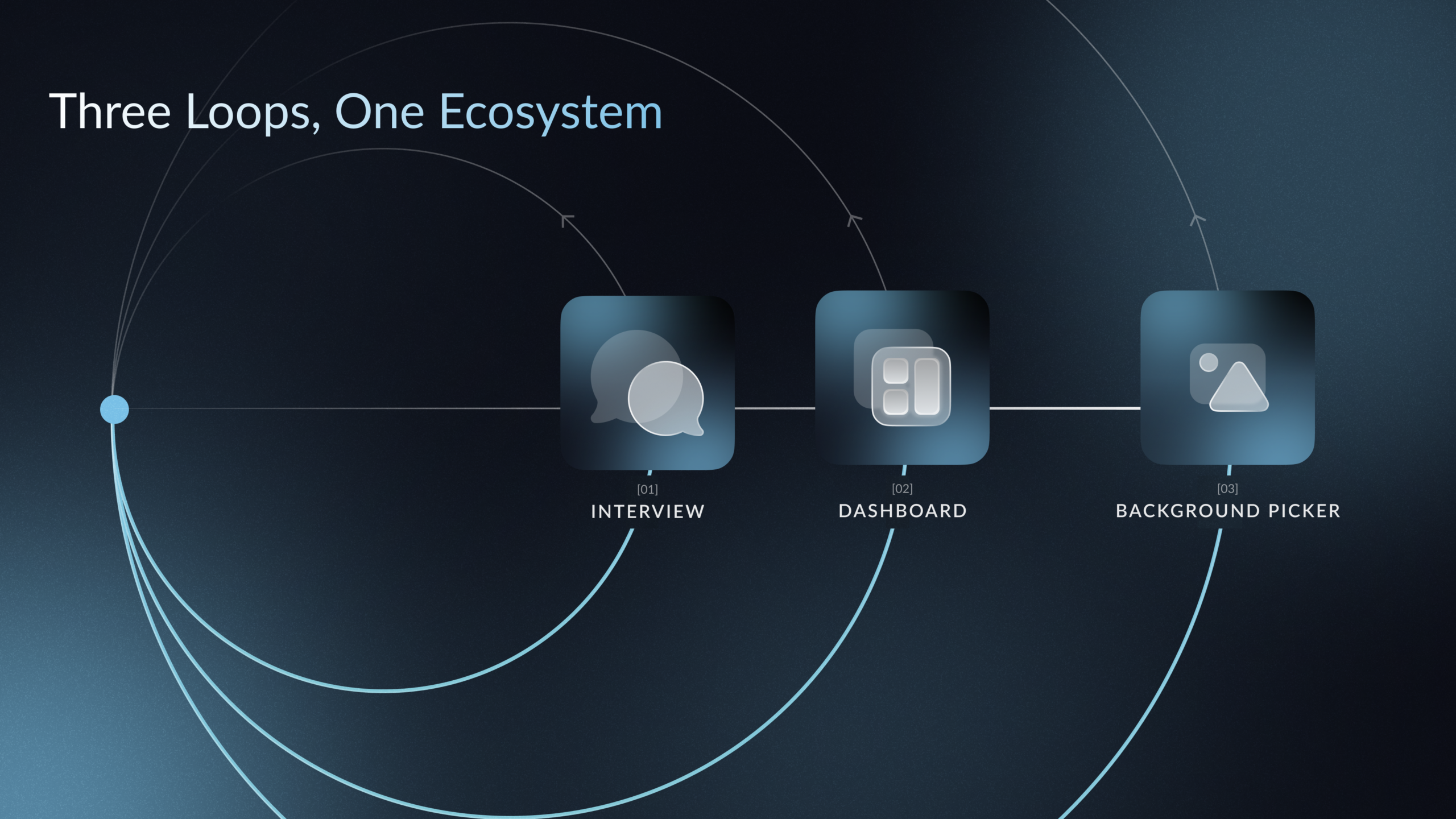
The app has multiple GenUI loops running at different scopes: the host event creation flow, the event dashboard, the modules guests respond within, and all feedback is visualized as it flows back with their replies.
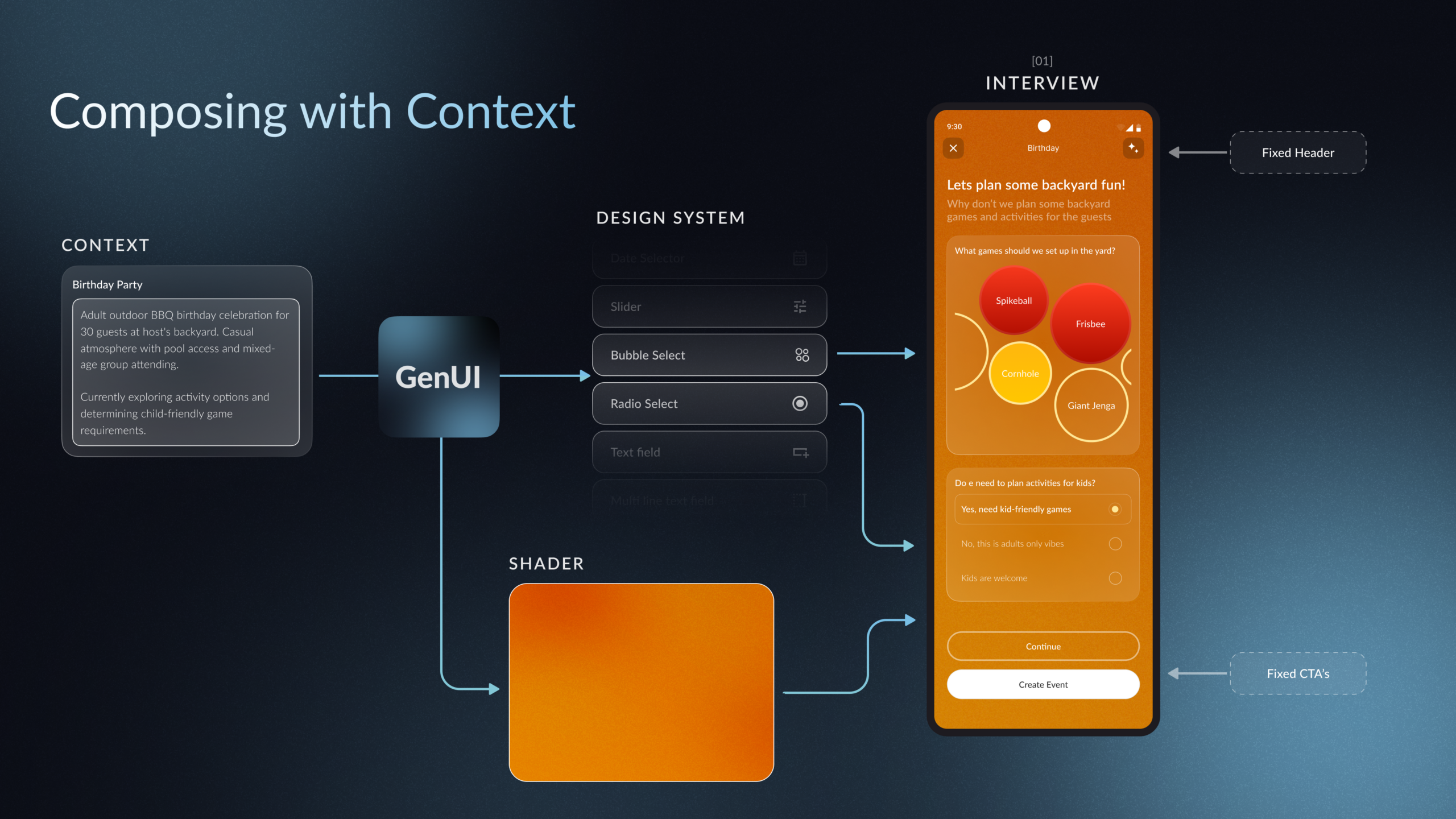
Each loop has its own “shape”. The event creation interview page has persistent elements above and below GenUI-composed components. The dashboard is a structured layout where we defined the hierarchy and layout rules for nested cards, and GenUI fills in the content with UI elements based on what’s happening for the event.
Different shapes, but shared principles — we design the structure and the rules, and GenUI composes within them.
The host’s answers in the event creation flow shape an invitation with its own palette and themed components, none of which we designed in advance. We defined the range: the colour relationships that hold together, and layout rules flexible enough to adapt.
The artifacts and rulesets we designed and supplied to GenUI for its catalogue are like LEGO bricks: atomic systems that can be repurposed in multiple scenarios that might require a solution of that shape.
The Design System is the Inventory
Since GenUI composes at runtime, the design system becomes the reference and the inventory the AI is reaching into.
Every component has to be general-purpose enough to be reused across discrete contexts, and every component needs clear instructions about when it should appear and when it shouldn’t. It’s an inventory of decisions.
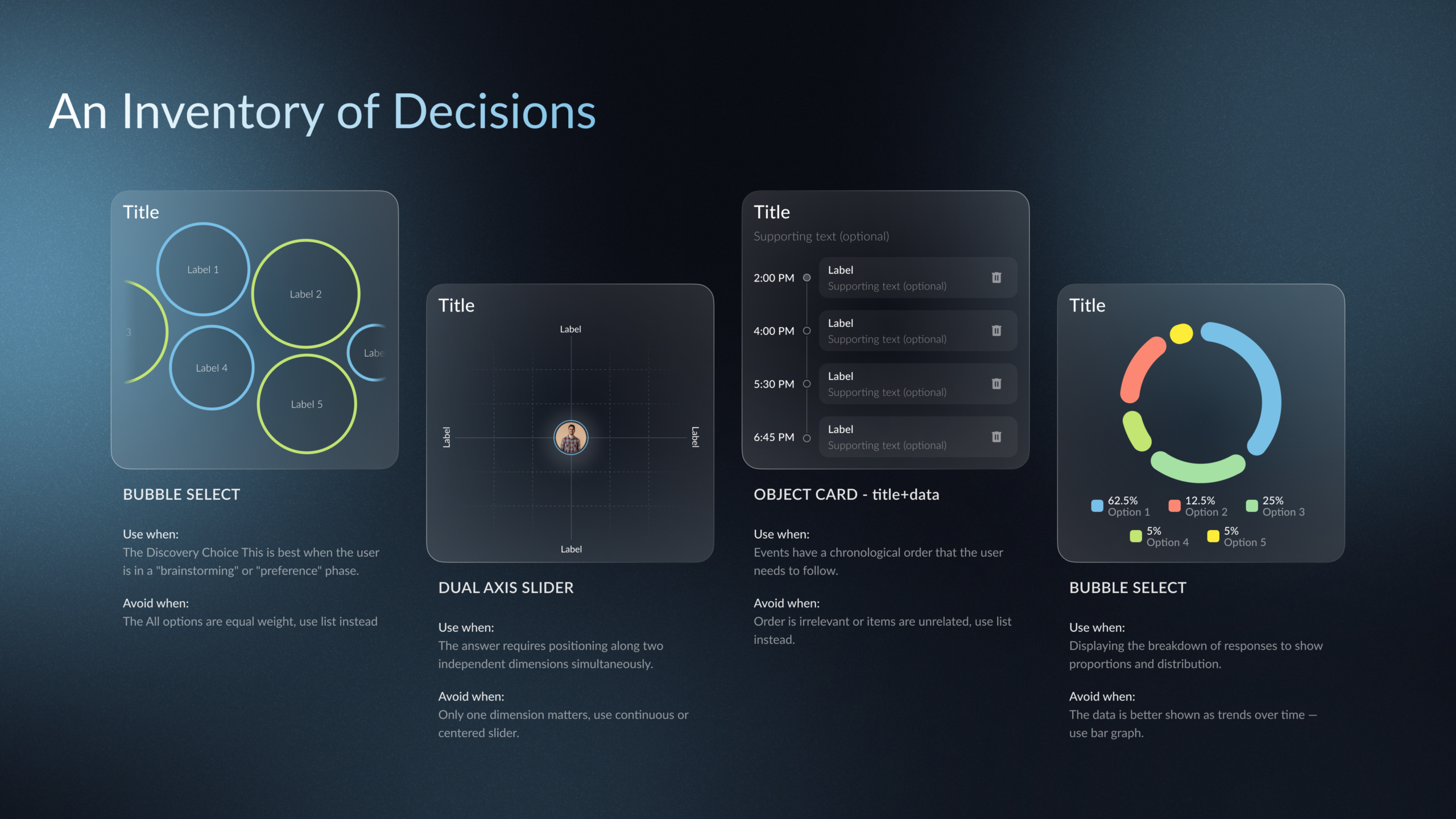
When GenUI is capturing information, it reaches for sliders, chips, and short forms. When it’s displaying information back, it reaches for charts, lists, and summary cards. When it’s helping the user organise what comes next, it reaches for run sheets and prep lists. GenUI gives you the control to select which widgets solve what types of use cases.
For example, dietary data might first show up as a multi-select list when guests are responding, then as a pie chart on the host’s dashboard a day later, then as a line in a shopping list the week of the event. Three goals, three components, the same underlying data. We didn’t design those screens. We defined the inventory and its conditions, and let GenUI choose what should be displayed as a result.
New Questions
What should be GenUI, and what shouldn’t?
We lost real time to this question. Every GenUI surface trades predictability for variability. The fixed parts of your app are fast, cheap, and behave the same way every time.
The GenUI parts spend tokens on every composition, take longer to render, and can surface in shapes you didn’t fully predict. That’s not a flaw — it’s just the nature of using LLMs to generate your experience. Sometimes it can be delightful, sometimes disappointing.
Thinking of how to construct your primary navigation? Likely used a fixed navigation experience. Planning modules that need to reflect a specific event with specific guests and their intent or special tasks? GenUI gives you the ability to create the personalization to make your experience shine.
For linear, high-stakes, regulated processes where every step needs to be predictable and auditable, a fixed flow is still the right answer. GenUI shines on variability, personalisation, and conversational shape: not as a replacement for flow design, but as the right tool when the user’s goal is too varied to be flattened into one.
New Deliverables
It changes what deliverables look like. You’re designing the baseline GenUI pulls from: the components, the criteria for each one, and the prompts that shape each loop. You’re not designing every screen — instead, you’re authoring the standards against which every screen will be composed.
And the loop is tighter than you’d expect: define, test, refine, define again. A close feedback loop with development isn’t optional on a GenUI project. It’s how you find out whether a component definition actually does what you thought it would do.
What doesn’t change is that being a good designer still depends on a deep understanding of who you’re designing for and what they’re trying to achieve. GenUI doesn’t replace that understanding. It raises the stakes on it.
The components, the criteria, the prompts, and the decisions on what should be GenUI in the first place, are all expressions of how well you actually know your users.
Head over to the Hatcha repository to explore the codebase, and let us know your thoughts in the comments below!
