
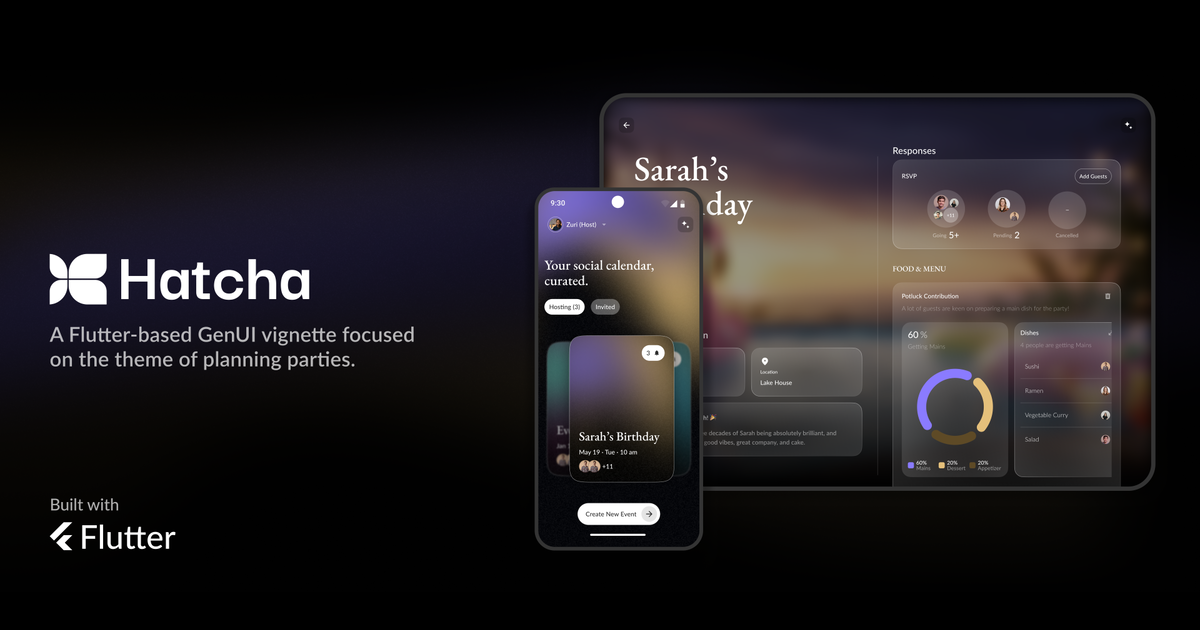
Over the past few months, we’ve been building Hatcha: an open-source, cross-platform, event-planning app experience written for Android, iOS, and the Web. We’ve been excited to see this project shared on the big stage as a feature in the Flutter keynote at Google I/O with an in-depth demo at Google Cloud Next.
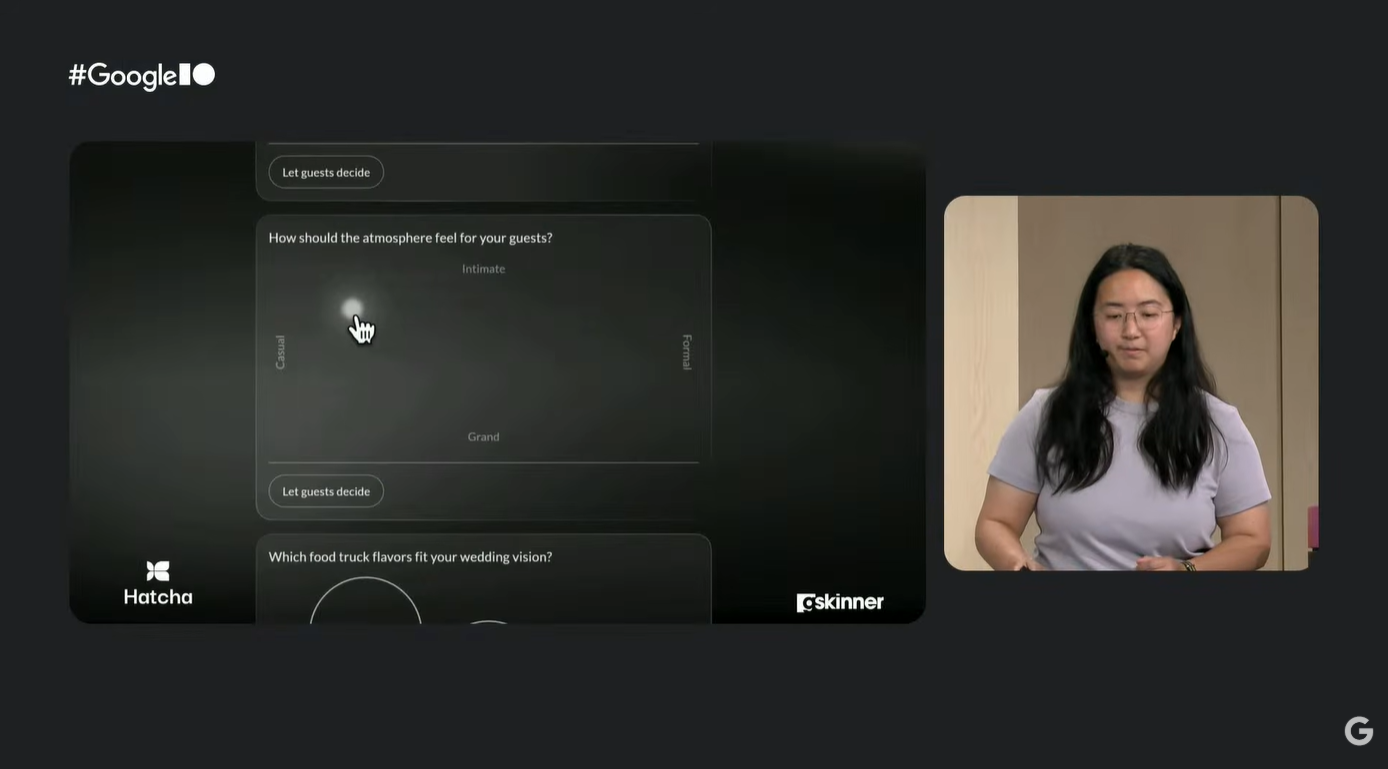
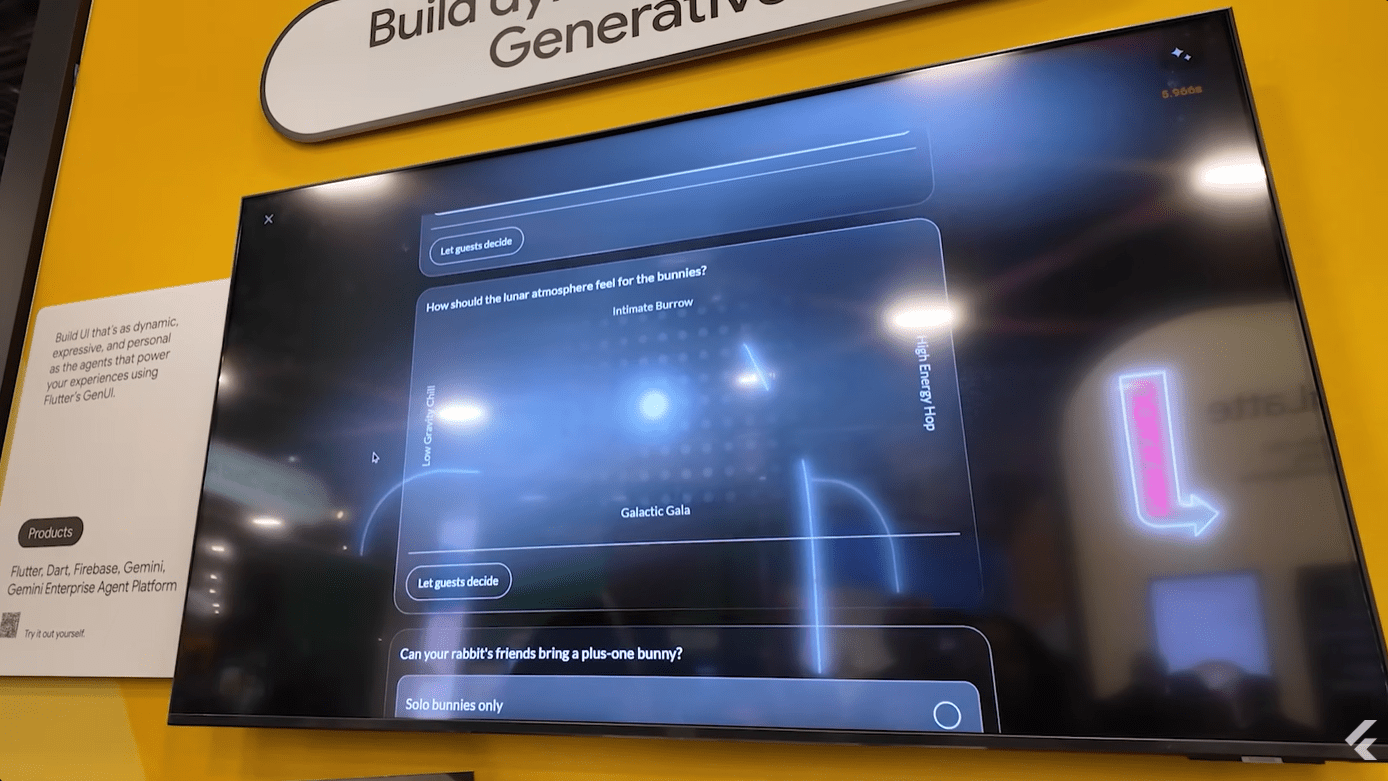
Traditional applications are created to handle hardcoded user journeys, with predetermined user interfaces, and a carefully curated number of use cases. Hatcha, however, leans into non-deterministic user interfaces adapted at runtime, by generating interactive layouts on the fly to suit users’ unique needs. For a quick video walkthrough of GenUI and A2UI, see this video.
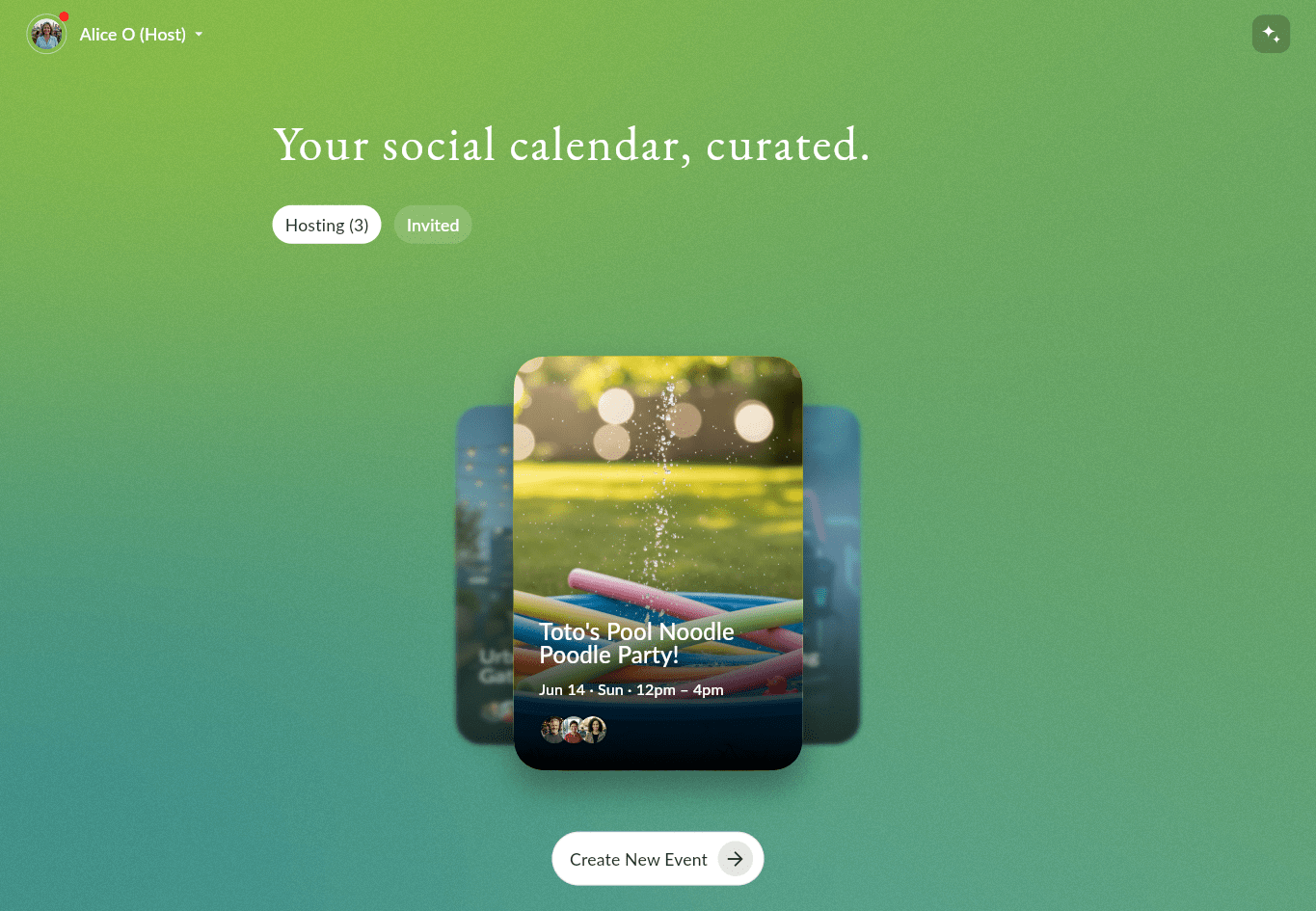
You can explore the Flutter client and Python codebase on GitHub here: gskinnerTeam/flutter-hatcha-app.
Generative UI (GenUI) enables developers to provide a user experience built upon a user’s specific intent and requirements, based on the application’s current state. This can be particularly useful for the long tail of users with highly specific needs, or portions of your app that require a highly dynamic or context-aware interface.
Because Hatcha is an event planning app that can provide value for any kind of event with a guest list, it must accommodate an extremely wide range of use cases. A user might be organizing a corporate tech retreat, a flash mob performance at the local fringe market, or anything in between and beyond.
The Two-Layer Architecture
Hatcha separates GenUI widget generation from app logic with a two-layer setup using the A2UI (Agent to User Interface) protocol:
- The server: A Python backend utilizes Google’s ADK (Agent Development Kit) alongside the
a2ui-agent-sdk. The agent processes structured data payloads from the Flutter client, sourced from user inputs (or previously generated content), and outputs generated widget trees with Flutter GenUI tool calls (such asupdateComponentsorcreateSurface) over a server-sent events (SSE) stream. For details about setting up an orchestration layer, review the ADK Quickstart guide and the A2A Python SDK repo. - The Flutter client: The application transforms catalogue item widget data into widgets and manages GenUI surfaces (where catalogue items are painted). It maintains the widget state and pipes user interactions back to the server layer.
In Hatcha, the generative model doesn’t directly write code; it acts as a router, selecting components from design system primitives.
Widget Catalogue
GenUI addresses the problem of near-infinite user inputs and output cases with generative models and a predefined widget catalogue.
To see this in practice, let’s look at how Hatcha defines a catalogue item schema, and how the model inserts event-specific data. We’ve chosen to use a python server for this application, but GenUI is flexible and you can bring in your own AI agent and backend of choice. Instead of hardcoding unique sliders for every event type, the Python server hosts a strict component schema catalog item — in this case, for a coordinate-tracking DualAxisSlider:
"DualAxisSlider":{
   // …
   "description":"Two-dimensional slider for positioning on two independent axes. Use whenever a topic has two distinct endpoint pairs: food style (Light↔Hearty AND Mild↔Bold) Prefer over two separate sliders",
   "properties":{
      "title":{
         "description":"Optional header label."
      },
      "xStartLabel":{
         "description":"Label for the left end of the x-axis."
      },
      // …
      "xValue":{
         "description":"State reference for x position (0.0–1.0).",
         "oneOf":[
            {
               "type":"number",
               "description":"A literal number value."
            },
            {
               "properties":{
                  "path":{
                     "type":"string"
                  }
               },
            }
         ]
      },
      "component":{
         "type":"string",
         "enum":[
            "DualAxisSlider"
         ]
      }
   },
   // …
}
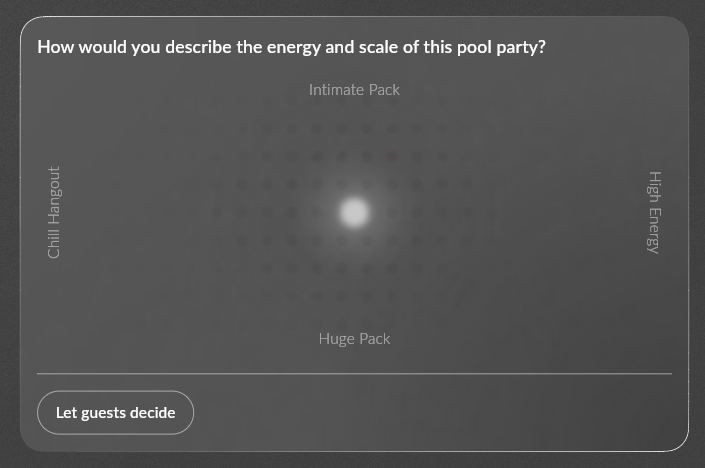
When the user indicates they are planning a pool party, the model evaluates the required data shape based on schema rules. The model then populates the fields with specific context-appropriate strings:
{
   "component":"DualAxisSlider",
   "title":"How would you describe the energy and scale of this pool party?",
   "xStartLabel":"Chill Hangout",
   "xValue":{
      "literalNumber":0.5,
      "path":"event.party_vibe_x"
   },
   // …
}
The Flutter client then assigns data binding paths, resulting in a type-safe and stateful Flutter widget with labels and data for that user’s specific event.
To learn more about GenUI and see how to build your own application, check out the Google GenUI codelab, review the official A2UI protocol docs, or the official getting started with GenUI in Flutter guide.
The Tech Stack: Core Generative Packages
To execute this generative architecture, we rely on a specialized suite of SDKs, bridging the Flutter client and the Python server.
The Client
genui: The renderer and Flutter package used to declare structural UI boundaries and interpret incoming semantic intents from the server into Flutter widget trees.genui_a2a: The communication layer connecting client-side UI directly to the A2A (Agent to Agent) protocol, specifically built to integrate A2UI streaming into genui.json_schema_builder: Used to compose strict JSON schemas, this utility provides a strongly typed way to map client capabilities to model-generated data. This ensures that the backend model understands what properties are permitted to be manipulated when rendering interactive or stateful elements.
The Server
google-genai: The official SDK for communicating with Google’s Gemini models.google-adk: The Agent Development Kit. This handles the multi-agent routings configurations, orchestrates execution, and acts as a stateful memory wrapper for individual conversations.a2a-sdk: The server implementation of the A2A protocol. This package helps to manage transport rules and coordinates the passing of context state between different agents.a2ui-agent-sdk: A utility used to integrate the A2UI protocol into backend agent orchestration logic. It can intercept model text outputs, handle protocol negotiations, and structure catalogue item widget boundaries.
Codifying Framework Knowledge with Skills
Because GenUI is a newer package, AI coding assistants need guidance to support the feature sets it exposes. To help alleviate some of these issues, we crafted skills with framework-specific domain knowledge in evolving skill files.
Our core developer skill catalog included:
genui: Documents the package API (Conversation,SurfaceController,Catalog) to safely ground code generation for creating, updating, or tearing down Flutter surfaces.catalogue-items: Encodes our explicit five-step file convention (_name,_schema,exampleData) and component widget layout patterns, preventing the model from inventing its own file structures.ai-system: Details our two-layer architectural split, instructing the AI to route communications through the backend agent layer.a2ui-agent-sdk: Guides backend model assistance on schema injection, configuration scoping, and parsing streaming responses on the Python server.genui-a2a: Maps the client-to-server SSE transport and task/context ID lifecycle for easier connection and streaming debugging.json-schema-builder: Provides a clear reference for the Dart DSL used to safely write the_schemablock of every component.
Read more about coding assistant skills for Flutter here.
An Agentic “Event Creation Flow”
Hatcha uses a generative event creation process that replaces traditional, linear data-gathering form flows. Using two specialized generative models, we provide an experience that keeps the user in control of the interview, while also providing expert guidance to lead the user towards satisfying the intent of the event.
Check out our follow-up post that explores this feature in greater detail.
Perspective Rendering: Shifting Presentation with Minimal Work
We contextually removed editing widgets and changed presentation styles and language with little development work. Instead of writing new layout paths, we reused the same widget definitions (for example, ModuleCard and StatusTableChild) across different user roles.
For demo purposes, Hatcha has a user-switching feature that allows users to switch between host and guest “roles” so they can view how an event invite is rendered for guests.
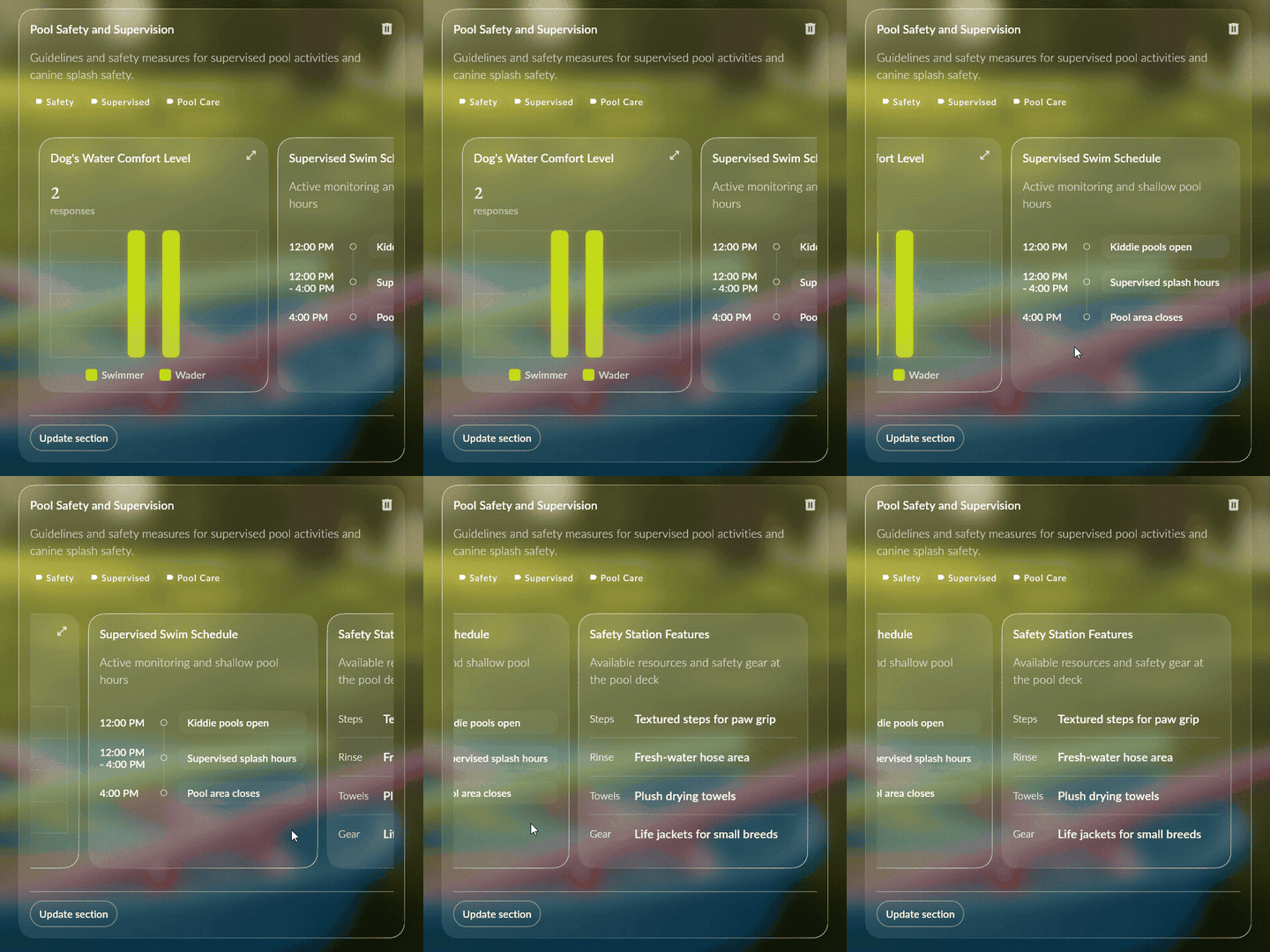
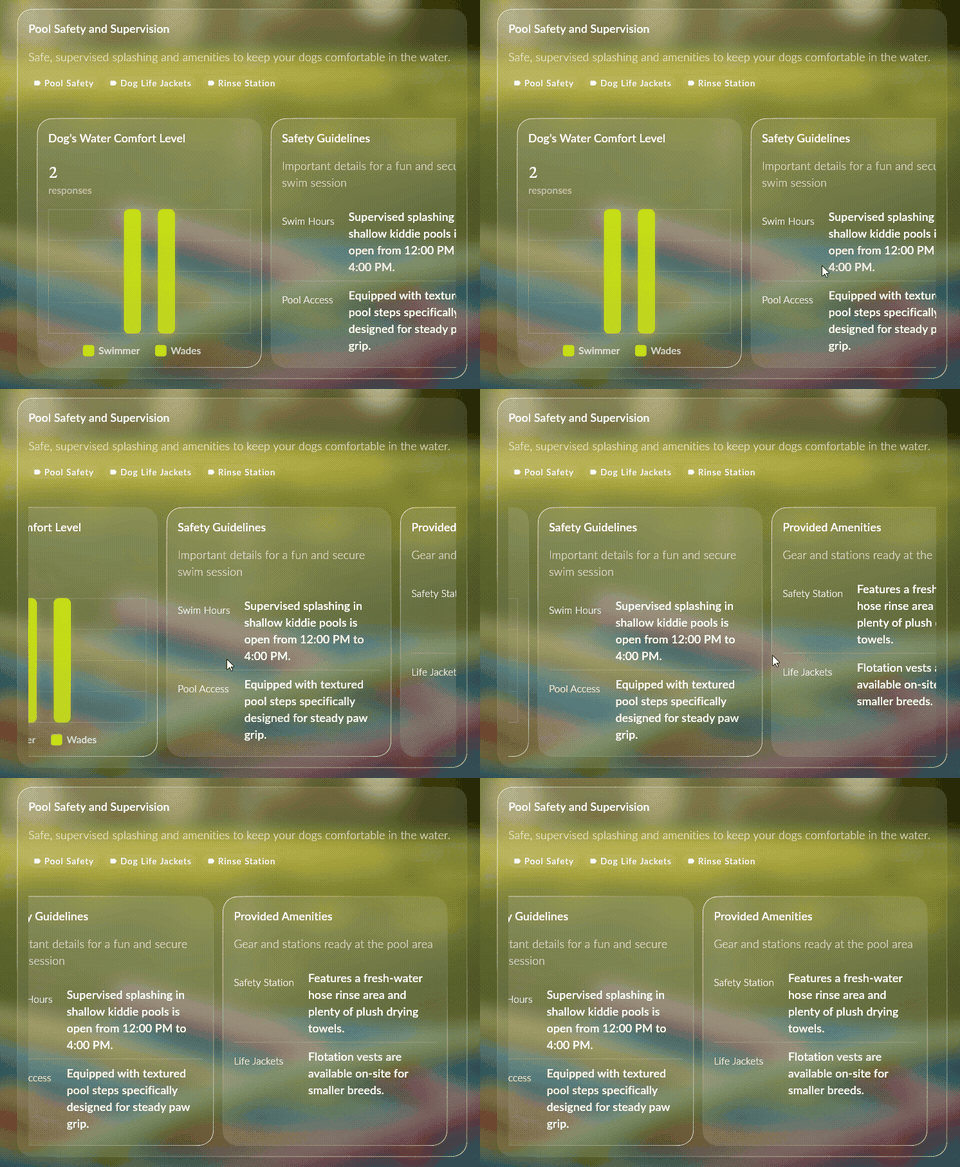
The Hatcha ADK agent handles these distinct views through prompt composition. When a payload hits the server, routing splits it between the host and guest natural language prompts.
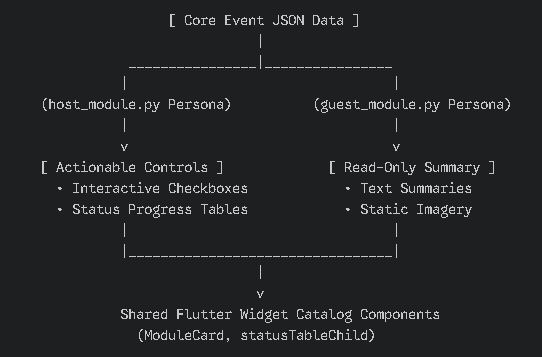
Because the system relies on prompt composition, the only difference is the defined “audience”. The host prompt instructs the agent to populate the card with actionable checkboxes and progress trackers, while the guest prompt turns that same data into a read-only summary. This approach eliminated catalogue duplication and handled view boundaries through a simple text adjustment.
Discovering Model Preferences: Saving Resourcing Time
With distinct user perspectives and many features across Hatcha, devoting development resources to building catalogue widgets before verifying model selection frequency could lead to development bottlenecks. Depending on the event, Hatcha could display planning details, timelines, menus, rules, venue selections, activity information, or anything else based on the context of the event. We needed modules that could display a wide range of data cleanly while maintaining a structure that models could generate efficiently.
Instead of starting with visual designs and then writing the widget layouts, we reversed our catalogue creation flow based on how the models generated the raw data:
- Raw JSON Placeholders: We built placeholder widgets for the client that printed out raw JSON data generated by the GenUI agent.
- The Model Selection Phase: We ran the application through a variety of simulated event-planning scenarios to observe which widgets the agent naturally preferred to use.
- Targeted Development: We devoted our layout and styling resources to the widgets the model favoured.
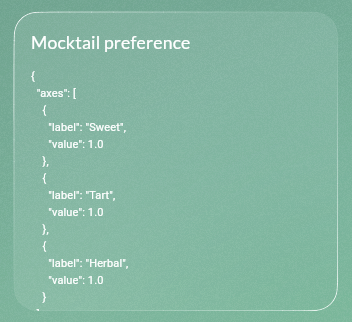
Our JSON placeholder testing showed that some of our designed graphs were never selected by the model. Testing model selections allowed us to drop those widgets from scope earlier, while we prioritized higher-value widgets.
Optimizing For Perceived Latency
To ensure the user experience feels smooth and responsive, we implemented some core patterns designed to minimize perceived loading times.
Quick-Return Suggestion Chips
Throughout the application, an assistant tray allows users to interact with application features via natural language. Each tray contains a carousel of suggestion chips that provide suggested prompts, helping the user understand what is possible while also encouraging exploration.
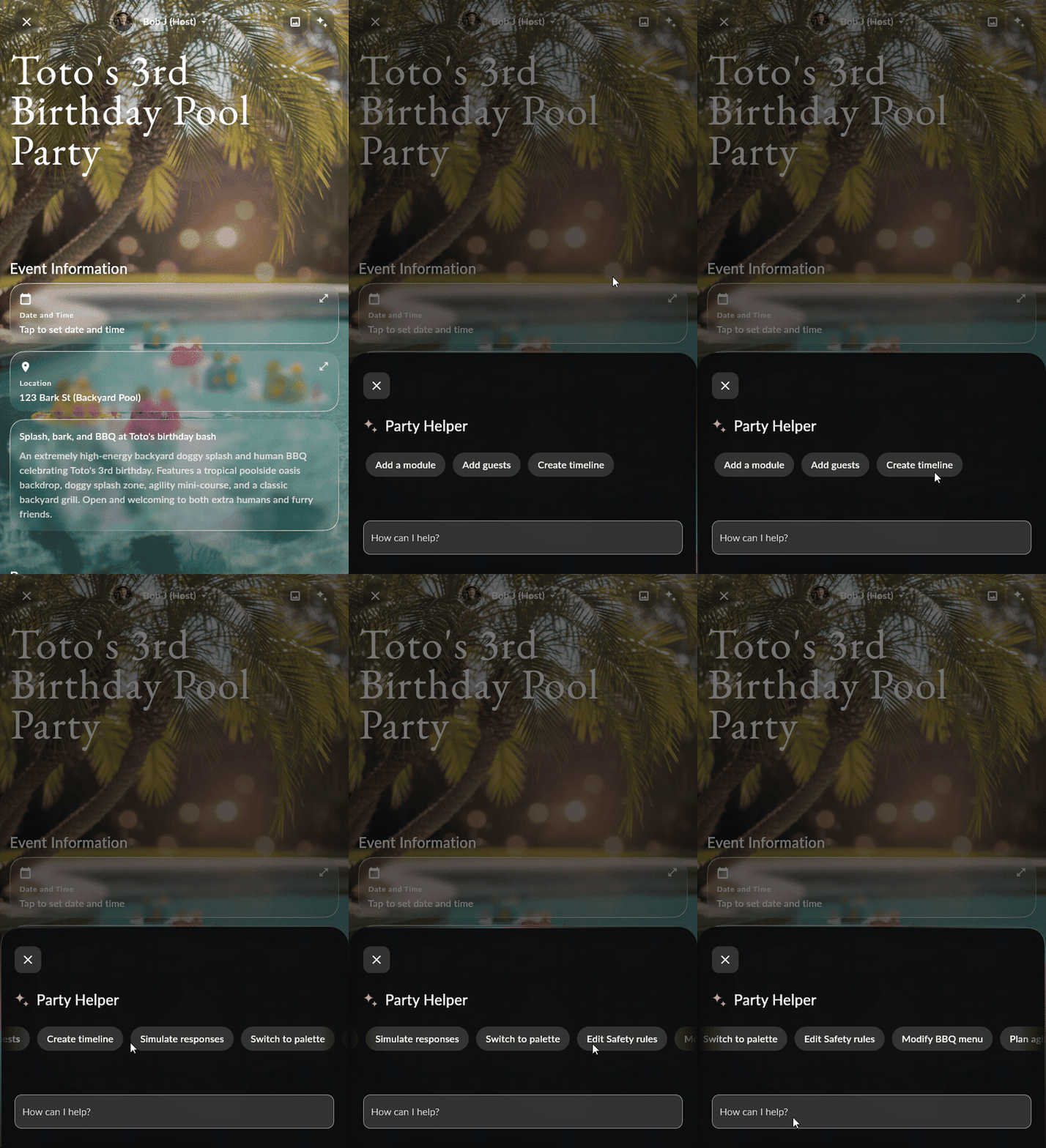
A baseline set of suggestion chips are written deterministically: both the label of the suggestion chip and the text prompt are predefined. When the tray first loads, the user can interact with these choices while the server generates and asynchronously streams additional context-aware chips based on the current state.
Contextual Catalogue Scoping
Hatcha restricts the model’s available choices by isolating widget catalogues based on the active feature context. For example, the module suggestion carousel has just two widgets: a container and an item. The core focus of this feature is the content of rendered widgets, rather than UI diversity.
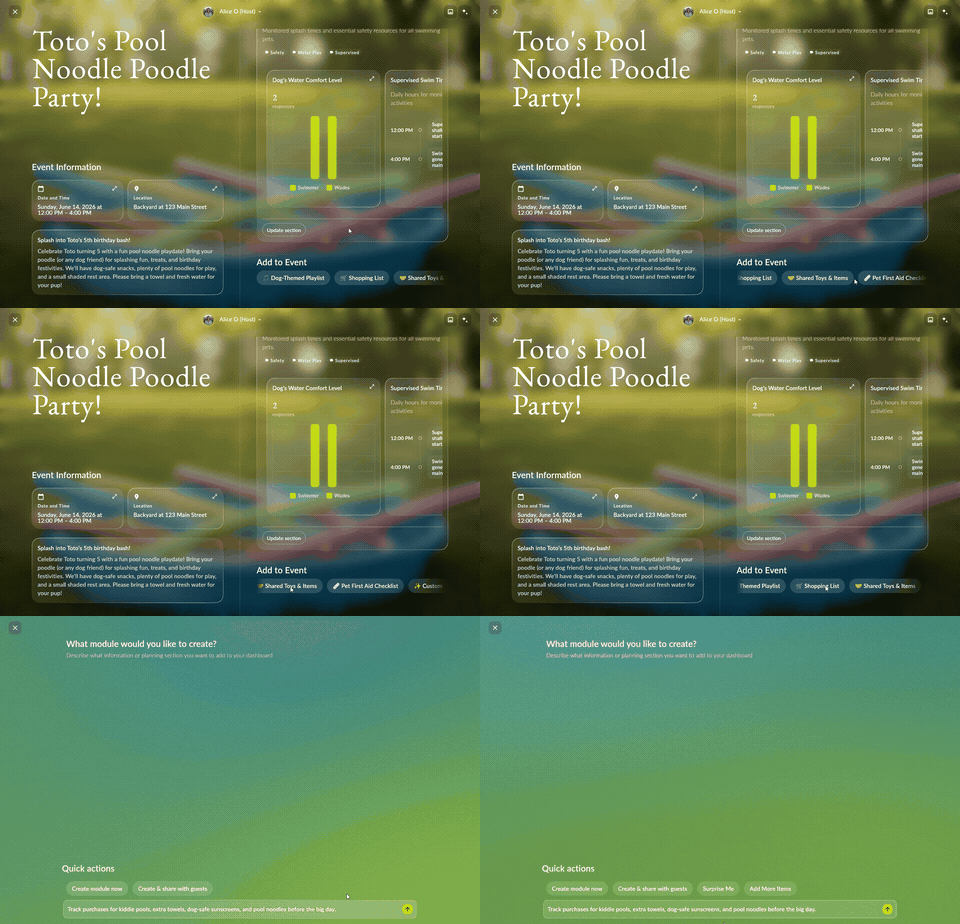
By separating our catalogs by intent, we can feed the model exactly what it needs based on the feature’s goals:
// The module suggestions catalogue where widget content and behaviour matters most
Catalog(
    [
      moduleCarouselContainer,
      moduleCarouselItem,
    ],
);

// A larger catalogue where diversity in UI matters
Catalog(
    [
      summaryCardContainer,
      moduleListChildCard,
      moduleProgressChildCard,
      moduleChecklistChildCard,
      statusTableChildCard,
    ],
  );
Limiting the number of widgets the model has access to provides some key runtime benefits:
- Reduced Input Tokens: Passing a smaller, targeted catalogue schema to the model keeps the system prompt concise.
- Faster Inference Times: With fewer structural choices to evaluate, the model infers its layout payloads faster.
- Fewer Hallucinations: Restricting options reduces the likelihood of model confusion or rendering irrelevant interface widgets or layouts.
Zero-Inference Caching
The GenUI client decouples a generated UI tree from the widget mounting lifecycle. Navigating between modals, pages, or routes allows the app to instantly repaint existing layout trees across different features or locations without re-triggering backend inference. This allows GenUI surface inference to begin before the surface needs to be painted. By anticipating surface painting, we can reduce perceived load times.
Wrapping Up
When building a GenUI application, the critical priority is maintaining a strong user experience by minimizing inference time and reducing hallucinations. You can achieve this by scoping widget catalogues, implementing a streamed generative UI tree, and reducing the structural complexity of generated content.
Head over to the Hatcha repository to explore the codebase, and let us know your thoughts in the comments below!

This is a really clever approach to the dynamic UI problem — generating layouts on the fly instead of hardcoding every user journey feels like it opens up way more possibilities than the traditional app design.