

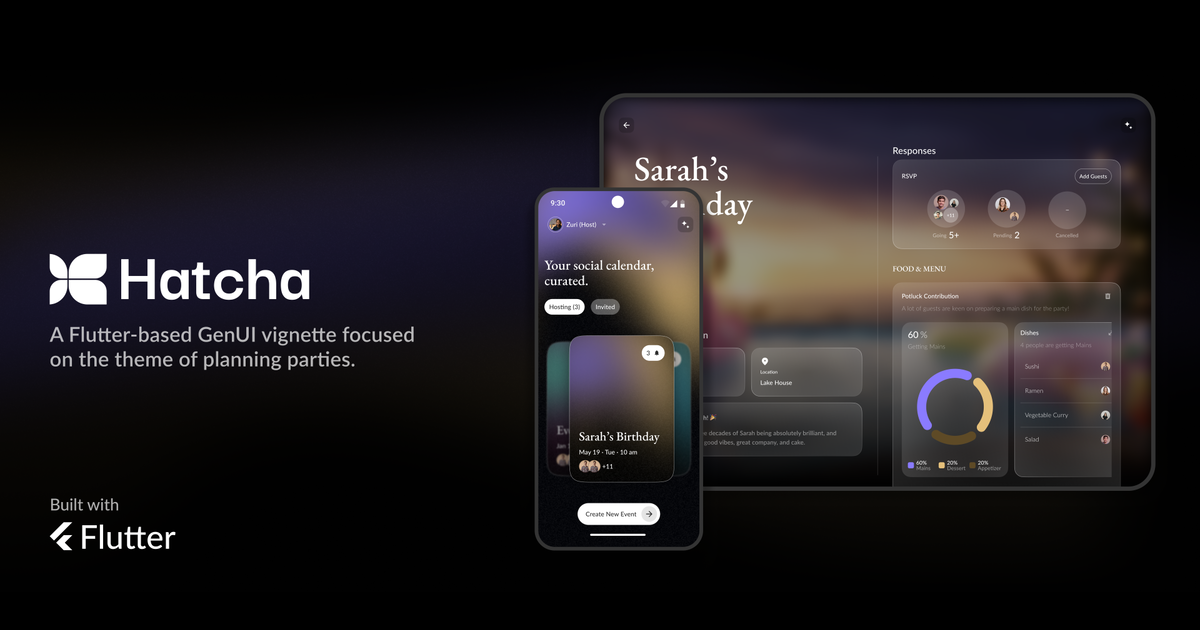
This post dives into our “Agentic Interview” feature that was built for Hatcha, our event-planning app powered by Flutter GenUI. If you are interested in a deeper breakdown of our experience building Hatcha, check out our main technical post.
When we built our first prototype for Hatcha’s interview feature, we replaced traditional forms with batches of model-generated question cards. The interview starts with broad, generalized questions and gradually narrows down into a specific line of questioning tailored to the user’s context. However, the flow was transactional: the user answered a set of questions, requested more, and the cycle repeated until the user ended the interview.
The result was flat and mechanical. It felt like filling out a legacy form. We had a model quietly steering the conversation behind the scenes, ready to provide valuable insights into event planning, but it had no opportunity to do so.
To address this, we integrated a conversational feedback widget and an AI interview orchestrator that handles concepts like pacing, topic traversal, and feedback. The specialized feedback widget anchors the GenUI surface and handles three specific conversational states during the interview loop:
- Note Milestones: Signal progress to the user with conversational natural language (“We now have enough context to complete the interview, we’ve designed a custom colour palette for your event”).
- Call Out Conflicts: Flag logic errors contextually, based on the natural flow of the interview (e.g., noting the user is planning a dog birthday party, but has just indicated that dogs are not allowed on the premises).
- Recommending Next Steps: Maintains conversational momentum while also providing expert guidance required to fulfill the interview’s intent. This also provides an opportunity for users to indicate their preferred goals.
The Interview Orchestrator-to-Component Architecture
This experience relies on a hierarchical multi-agent loop managed by the Flutter client and two specialized agents.
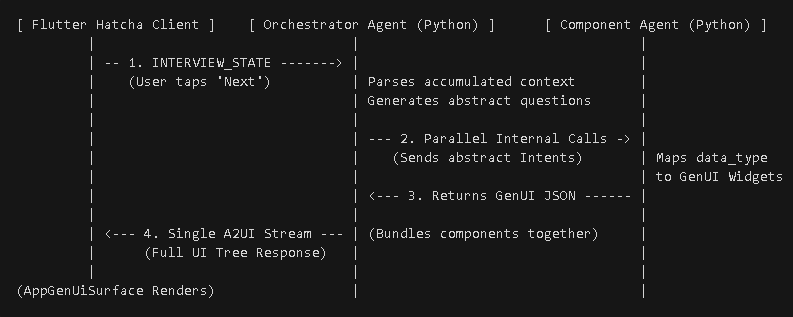
- The Loop: As a user answers questions, the client state is updated with their responses. When the user completes a set of question widgets, the client sends a payload to the orchestrator agent, keyed by a “continue interview” message.
- The Orchestrator Agent: The orchestrator is completely detached from the generation of UI and acts purely as a semantic logic router. This frees the model to focus on the broader goals of the interview trajectory by analyzing user responses and evaluating progress towards the interview’s intent.
- Internal Server Delegation: Rather than forcing the client to manage multiple parallel agent streams, the Python back end handles orchestration. It spawns concurrent calls to an agent specifically configured for GenUI surface generation, passing one question intent per call. The back end waits for sub-agents to finish, bundles the JSON into a single object, and then sends the object to the client.
Why This Matters
This architecture allows for responsive, performant, and personalized form experiences with expert guidance. If a host indicates that an outdoor venue will be used, the orchestrator reads that accumulated context and generates a batch of questions specifically tailored to enquire about backup weather plans, outdoor lighting, and seating arrangements.
The client can also dynamically inject user-crafted prompts to “steer” the interview, informing the orchestrator that a user is done discussing a specific branch of the interview or wants to touch on an area the model has overlooked. This puts the user firmly in control of the interview’s direction.
Because the Orchestrator handles the high-level logic and the subagents handle the GenUI surface data, the models have a separation of concerns: minimizing hallucinations, improving inference speed, and freeing up developers to tweak specific aspects of the interview’s behaviour.
Delegating Decisions
Planning an event can include collaboration with guests. When creating Hatcha, we wanted to highlight how generative UI can enable a new collaborative process where an agent acts as an intermediary between guests and hosts. Integrating a delegation system within the interview feature lets hosts gather feedback or even offload aspects of event planning.
How It Works
Each generated input widget carries a model-determined canAskGuests flag. When enabled, a “Let guests decide” button appears.
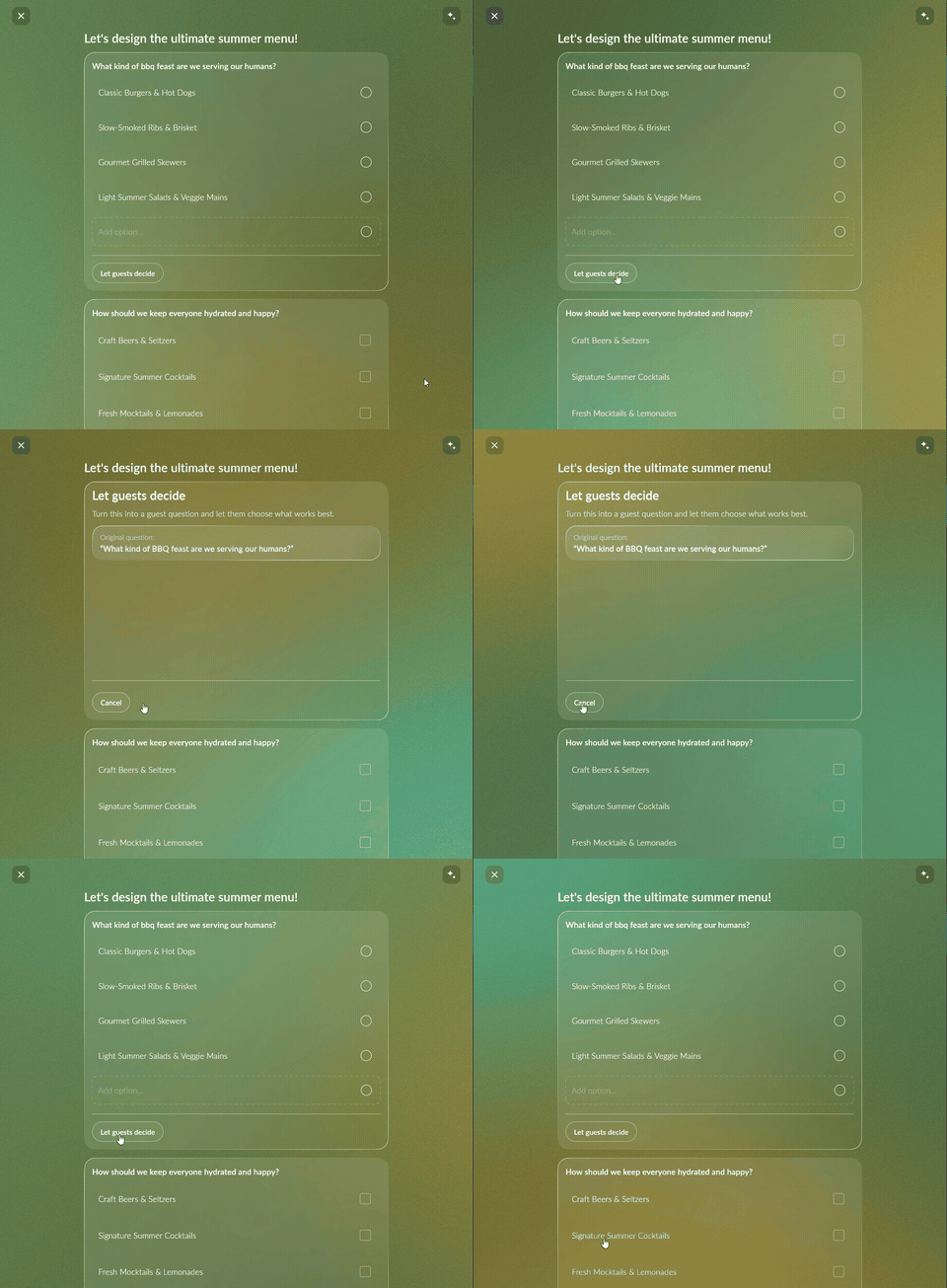
Under the hood, tapping this button triggers a message sent to the model with a payload of ask_guests: <label>, indicating the question has been delegated.
void toggleAskGuests(String questionLabel, bool checked) {
  final idx = _questions.indexWhere((q) => q.label == questionLabel);
  if (idx != -1) {
    _questions[idx].isAskedToGuests = checked;
    notifyListeners();
  }
  _orchestratorController?.sendMessage(formatAskGuestsMessage(questionLabel, checked));
}

String formatAskGuestsMessage(String label, bool checked) =>
    '${SharedConstants.askGuestsPrefix}: $label | checked: $checked';
When the user indicates they wish to end the interview, the orchestrator compiles its understanding of the interview history into a structured payload. The model is explicitly instructed to isolate delegated questions for consumption by an “interview summarizing model”, where they are surfaced to the user before being sent to guests.
The Interview Summary Surface
Once the user has completed the interview, the orchestrator generates a (potentially very large) structured string of text outlining the outcome of the interview. To prevent user’s cognitive overload, we are able to organize this data into human-readable cards using GenUI. GenUI acts as a runtime translator for nearly infinite, non-deterministic generated content within a finite design system, ultimately saving development resources and reducing complexity.
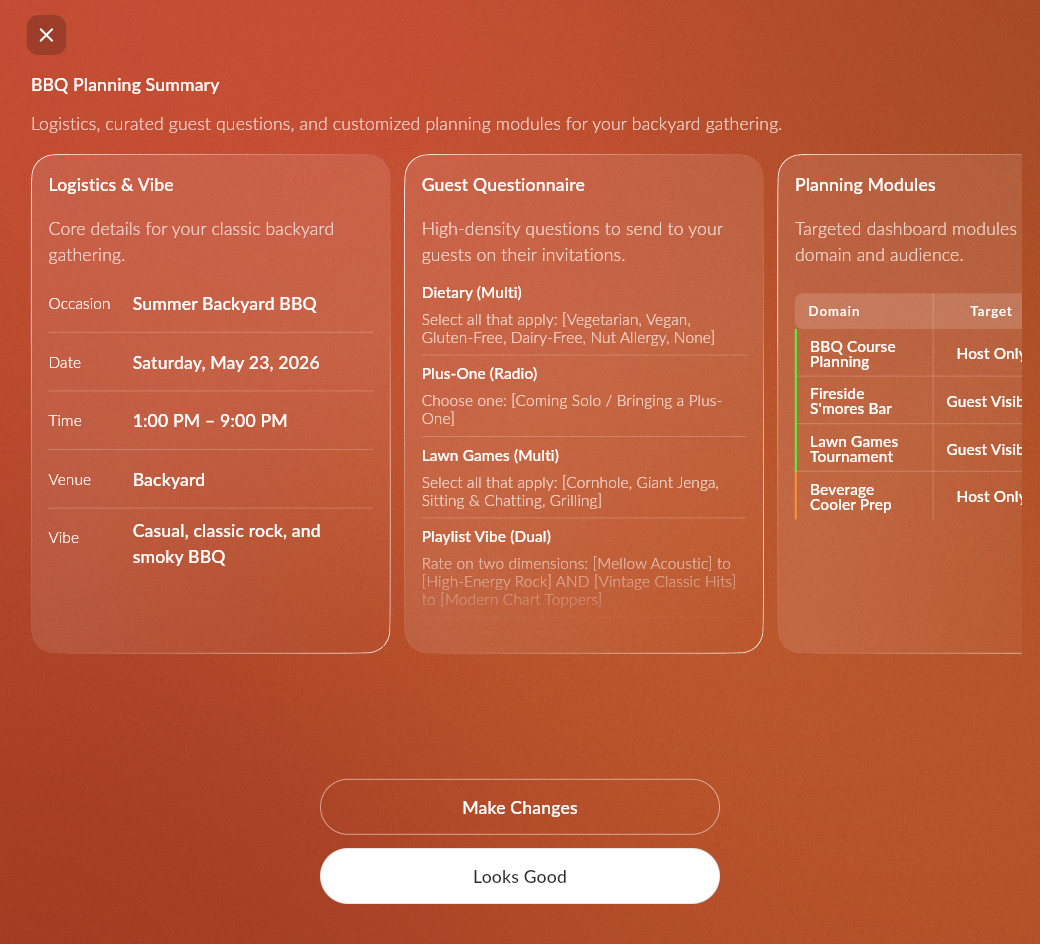
If the summary includes data the user wants to remove, or checklists the user wants to modify before moving on to the next step, they now have the opportunity. For broader control, the user can select “Make Changes”, where they are presented with a text input that allows them to interact directly with the GenUI model responsible for managing the summary surface.
Final Thoughts
Building flexible software in the era of generative technology provides unique opportunities; by pairing orchestrator agents with design system primitives, we can eliminate the need to hardcode hundreds of different form variations. The GenUI framework allows developers to write an elegant design library once, giving models the freedom to combine those pieces dynamically at runtime to meet the highly specific needs of every user.
Head over to the Hatcha repository to explore the codebase, and let us know your thoughts in the comments below!