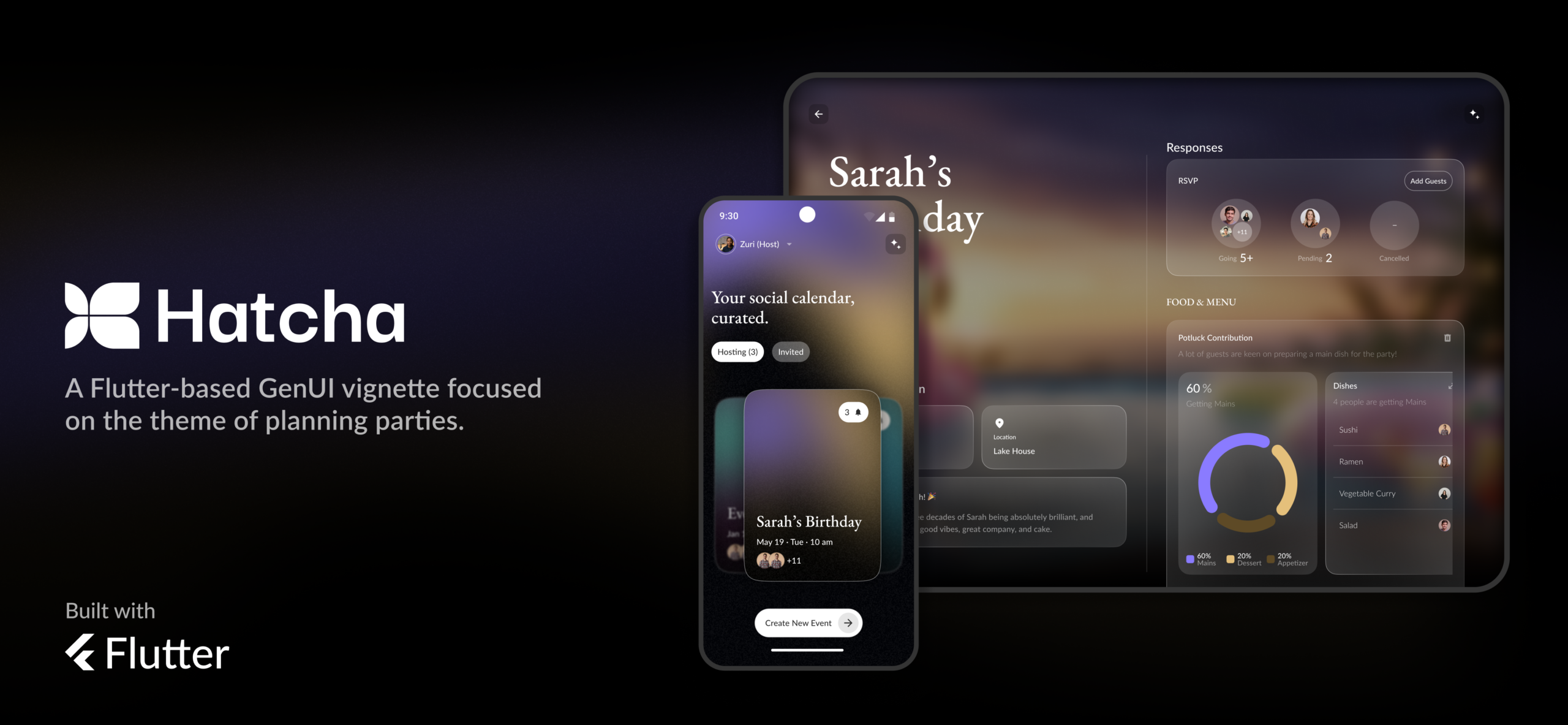
After a handful of months of hard work, we’re excited to announce our latest collaboration with Google and the Flutter team: it’s a cross-platform GenUI demo called Hatcha!
What is it?
GenUI is an experimental SDK from Google that gives AI control to compose UIs at runtime based on context.
Ever wish there was an easy way to add rich animation to your Flutter UIs? I did, so when we started working on the Wonderous app, it seemed like the perfect excuse to build a best of breed open-source animation package.
v4.0 of the “XD to Flutter” plugin is available now, with a focus on simplifying and improving the Dart code it generates.
Building on v3’s focus on improving the developer experience, v4 includes a fairly significant refactor of how layout code is generated by the plugin to enable smarter, cleaner results.
One of the great things about Github Actions is how easily it lets you setup continuous integration testing for your flutter applications. In this post we’ll go through the basic implementation of a CI workflow in flutter.
For many years Flutter has provided the basic “Counter App” each time you created a new project. While that example provides a nice introduction to the foundational concepts of StatefulWidget and basic font/asset management, it does not really resemble the structure of a “complete app”. This has left developers without guidance for anything beyond a basic single page app.
One thing that has always felt a little limiting in Flutter for us has been its inability to perform hit-testing for a button or gesture detector that is outside the parents bounds. This has been a popular issue in the Flutter bug-base over the years, getting something around 150+ upvotes if you add up all incarnations of the issue.
I’m very excited to announce the release of v3.0 of the “XD to Flutter” plugin, with a number of powerful new developer features.
Prior to v1.0, the primary goal was just to output as much of the content in Adobe XD to Flutter as possible: Vector graphics, text, images, fills, blurs, blend modes, etc. Version 1 tackled responsive layout, and v2.0 built on that with support for stacks, scroll groups, and padding. Version 2 also included the ability to export null-safe code, a critical developer feature for working with Flutter 2.
In v3.0 we’ve doubled down on improving the workflow for developers, including providing new ways to clean up the exported code and integrate dynamic content.
When building a custom UI control in Flutter it’s tempting to just use a GestureDetector and call it a day, but to do so would be a mistake! Especially if you’re planning on supporting users with alternate inputs like mouse or keyboard.